Widgets / Chat paper marbling
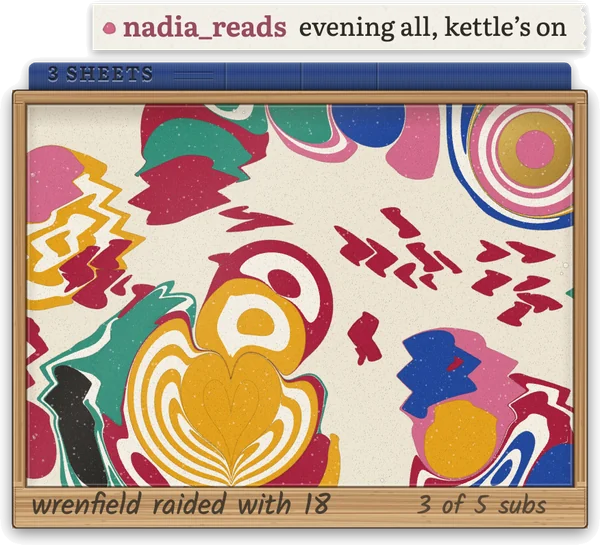
A beech tray of marbling water sits in a bottom corner of your stream. A chatter's first message drops their own ink, which blooms and pushes the others aside, and a regular's blooms in rings, one for every stream they have come to. Replies pull friends' inks together, gold ink falls into a subscriber's drop, a raid is flicked in and combed through, and at your goal a sheet of paper lifts the pattern off into a book. Then print it, with every chatter's name pencilled on the margin. On Twitch and Kick.
Instant download
Loading the live demo…
Chatting as
Your viewers
A regular's drop blooms in rings, one for every stream they have come to, five at most.
Commands
Anyone in chat can type these; here they come from whoever you are chatting as.
On stream each viewer can !swirl, !flick and !heart once a minute; here every 5 seconds, and a press sent sooner waits its turn, as a viewer's reply does for its 30 seconds.
Most raid drops, one per raider
From the settings panel
This button sits at the top of the widget's settings in StreamElements. A preview marbles a copy of the water and saves nothing.
Tonight's goal
Each sub is pencilled on the tray's front board. At the goal a sheet of rag paper is laid on the water, lifted with tonight's pattern, turned over to show how many hands marbled it, and filed in the book on the tray.
The goal can count subs, follows, bits or tips, or be off so only !print lifts a sheet. Whatever goes past the goal counts toward the next sheet.
Sub goal
The book and the print room
Every sheet is kept as the moves that made it. The print room marbles any sheet again at 3000 by 2000 on rag paper, with every chatter's handle pencilled on its margin.
!print and !sheets are for you and your mods: here larkspur, your mod, types them. On stream the print room opens when you open your overlay link in a browser, with Back up and Restore beside your sheets.
Ink set · Lapis and Crimson
The water keeps its pattern and every ink takes the new set's colour.
Tray size
336, 420 or 546 pixels wide on a 1080p stream; Medium is about 6% of the screen.
Corner
Slide the tray down when chat is quiet
Only a strip of rim and ink peeks up, and the next drop brings it back. On stream it slides down after 45 seconds unless you change it; here it stays up until you pick.
Chat on paper tags
Graphics
The real widget on a practice stream. Nothing here reaches your channel.
- The widget for StreamElements. Add it as a custom widget, then show it in OBS Studio or Streamlabs Desktop as a 1920 × 1080 browser source. Works on Twitch and Kick.
- A START HERE guide. Step-by-step setup with a copy button for each of the four files. About 5 minutes, no coding.
- It keeps every sheet. Tonight's water, your regulars' rings and every finished sheet are saved in your StreamElements account. Open your overlay link in a browser and the print room prints any sheet at 3000 × 2000 with every chatter's name. Four ink sets and a Light mode for slower PCs.
- Help if you get stuck. Message us on Etsy; we answer every message ourselves.